
 Salesforce
 HubSpot
 Claude
.png?width=58&height=58&name=Frame%202087327944%20(1).png) GA4
GA4
.png?width=58&height=58&name=Frame%202087327944%20(2).png) Marketo
Marketo
.png?width=58&height=58&name=Frame%202087327944%20(3).png) Audit Fox
Audit Fox
 Services
.png)
If you've used Breeze AI on HubSpot, you've probably used Breeze Copilot.
You’ve likely asked it to summarize a contact, draft a follow-up, maybe pull a deal update. It worked. You moved on.
That's the version of Breeze AI most teams on HubSpot know. It's also the smallest part of what's actually there.
HubSpot Breeze AI is a more comprehensive platform for GTM and RevOps teams — connected components that sit across your entire CRM.
- Breeze Assistant is the conversational layer you've already met or will meet
- Breeze Agents are autonomous, purpose-built agents that run multi-step workflows without you in the loop for every step
- Breeze Intelligence is the enrichment and intent engine underneath all of it
- Breeze Studio is the build environment where you configure custom agents for your specific workflows
Each component works differently. Each one requires different things from your team to actually deliver.
The gap between "we have Breeze" and "Breeze is doing something meaningful for our pipeline" almost always comes down to understanding which layer maps to which GTM and RevOps problem and objective.
What Breeze AI actually is and how it’s different from standard HubSpot
There's a version of HubSpot most teams run on for years without questioning. Workflows fire when conditions are met. Sequences send emails on a schedule. Deals move when someone updates a stage. It works. It's reliable. And it has a hard ceiling.
Breeze AI sits above that ceiling. Standard HubSpot automation is rule-based — you define the conditions, HubSpot executes them.
But Breeze AI is judgment-based. It can read a contact record and decide what matters. It can analyze a set of closed-lost deals and surface a pattern. It can research a prospect, write a personalized email, and queue it for review — without you defining every step in a workflow builder.
That's a different category of tool. Not a replacement for your regular Workflows or Sequences — those still handle what they're built for — but a layer above them that adds reasoning, generation, and autonomous execution to your CRM.
Quick history: Breeze AI didn't appear from nowhere. HubSpot's earlier AI experiments — Content Assistant and ChatSpot — were the groundwork. At INBOUND 2024, HubSpot unified everything under the Breeze rebrand, and that’s when AI stopped being a feature sitting next to HubSpot and became native to how the platform works.
HubSpot Breeze AI ecosystem: how the pieces fit together
Breeze AI isn't one thing you turn on. It's multiple AI and agentic components that work together — each with a distinct role, each sitting in a different part of your CRM.
Some you'll use daily. Some you'll configure once and let run. Some you'll only need when you're ready to build something custom.
- Breeze Assistant — the conversational AI layer, accessible from a sidebar across your entire HubSpot
- Breeze Agents — purpose-built autonomous agents that run specific GTM and RevOps workflows
- Breeze Studio — the build and configuration environment for custom agents and assistants
- Breeze Intelligence — the enrichment and buyer intent data layer
- Breeze Marketplace and Dashboard — where you discover pre-built agents and track adoption across your team
Breeze Assistant
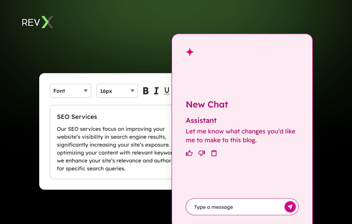
Breeze Assistant is the conversational AI embedded across your HubSpot; it's the persistent sidebar you can open on any record, in any hub.
If you've used HubSpot Breeze Copilot, this is the same thing. Copilot was the earlier name. Breeze Assistant is what HubSpot calls it now.
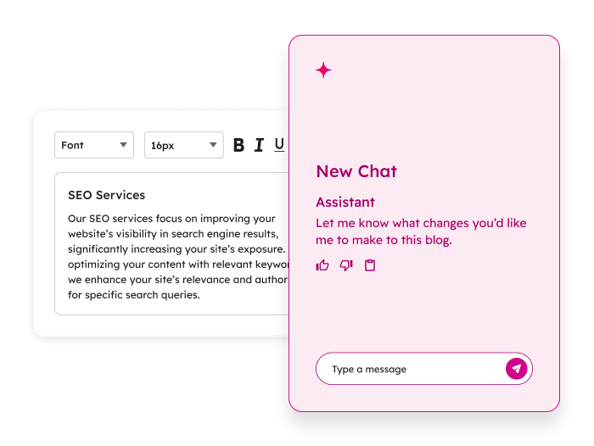
What it actually does depends on what's in front of it.
Open it on a contact record and it can summarize that contact's full engagement history, draft a follow-up email in context, flag overdue tasks, or prep you for a call — pulling from everything HubSpot has on that person.
Open it on a deal and it can surface where things stand, what's stalled, what the last interaction was. Open it in your pipeline view and you can ask it direct questions about your numbers.
A few things worth understanding about how it works:
- It's context-window bound. Breeze Assistant works on what's currently in scope — the record you have open, the data attached to it. It's not running a global query across your entire database. If you want it to reason across a large dataset, that's a different Breeze capability
- It can act, not just answer. Beyond surfacing information, it can generate tasks, draft emails, and complete supported actions directly inside HubSpot — depending on what permissions your admin has configured
- Its output quality scales with your CRM data quality. A contact record with rich engagement history, detailed notes, and accurate properties will produce meaningfully better Assistant output than a sparse one
For sales reps, AEs, and CSMs doing high-volume daily work — call prep, follow-up drafting, record updates — Breeze Assistant is the most immediately accessible part of HubSpot Breeze AI.
Low setup friction, available today, delivers time savings from the first use.
But also, it’s important to know the limit: Breeze AI is a productivity tool, not a magic bullet workflow transformation. The real leverage comes when Breeze Assistant is working alongside configured agents — not as a standalone.
Breeze Agents
Breeze Agents are where the platform shifts from assistive to autonomous.
Where Breeze Assistant responds to what you ask, agents run multi-step workflows on their own — researching, generating, acting, and updating your CRM without a human decision at each step.
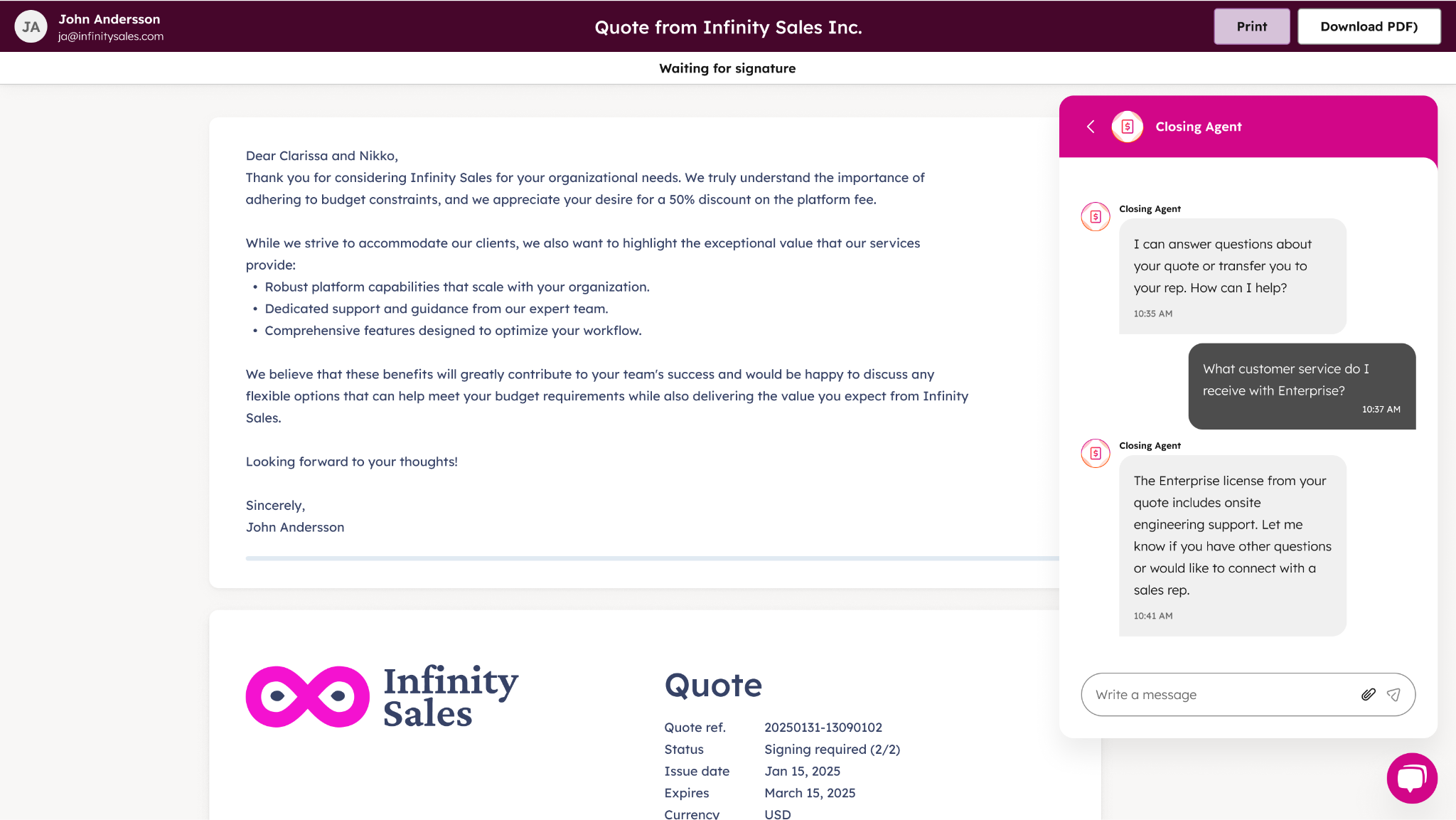
You configure them, define their inputs and goals, and let them run. They can be triggered manually, scheduled, or automated through Breeze Studio or HubSpot Workflows.
A few things that apply across all agents before getting into the specifics:
- Agents draw on knowledge vaults — documents, CRM content, segments — that you feed them to give them business-specific context
- AI instructions let you define expected behavior, output format, and business rules the agent should follow
- Most agents can be tested before publishing — you can preview outputs, review reasoning, and adjust configuration before anything goes live
- Some agent tools require user approval before executing actions — relevant if your team has governance requirements around automated CRM updates
Prospecting Agent
The HubSpot Prospecting Agent researches target companies, builds contact lists, and personalizes outreach — pulling from Breeze Intelligence and public web data.
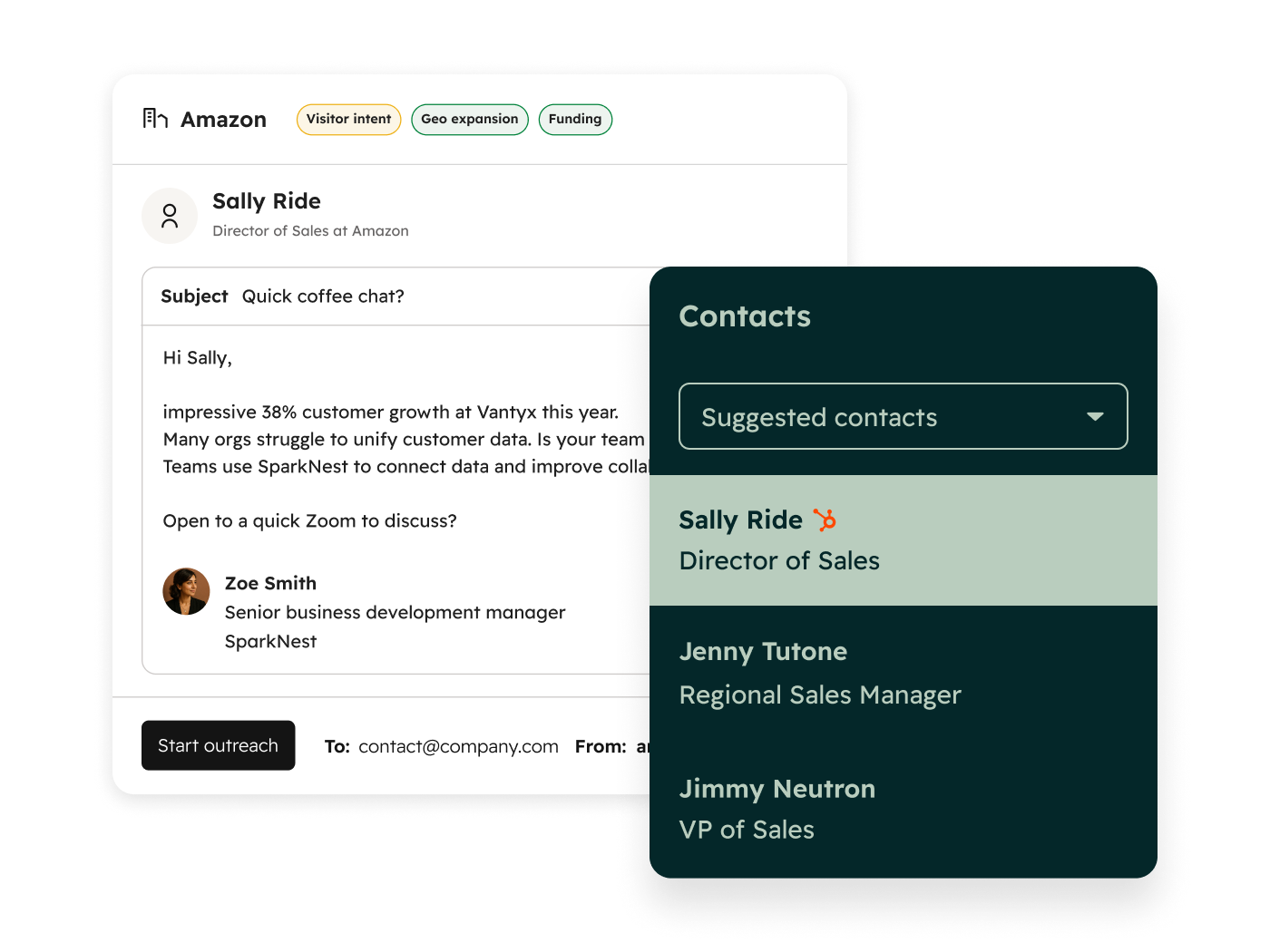
For now, it's the most GTM-relevant of the pre-built agents for outbound-heavy teams.
💡 Actual use case: A B2B SaaS company RevX worked with used the Prospecting Agent as part of a connected outbound pipeline — pairing it with Breeze Intelligence, NeverBounce for contact verification, and Zapier for sequencing.
The result was an outbound pipeline that could research, enrich, verify, and queue contacts with minimal manual intervention.
That kind of stack doesn't come out of the box — it takes configuration — but the Prospecting Agent is the engine at the center of it.
Data Agent
The Breeze Data Agent enriches contact and company records at scale.
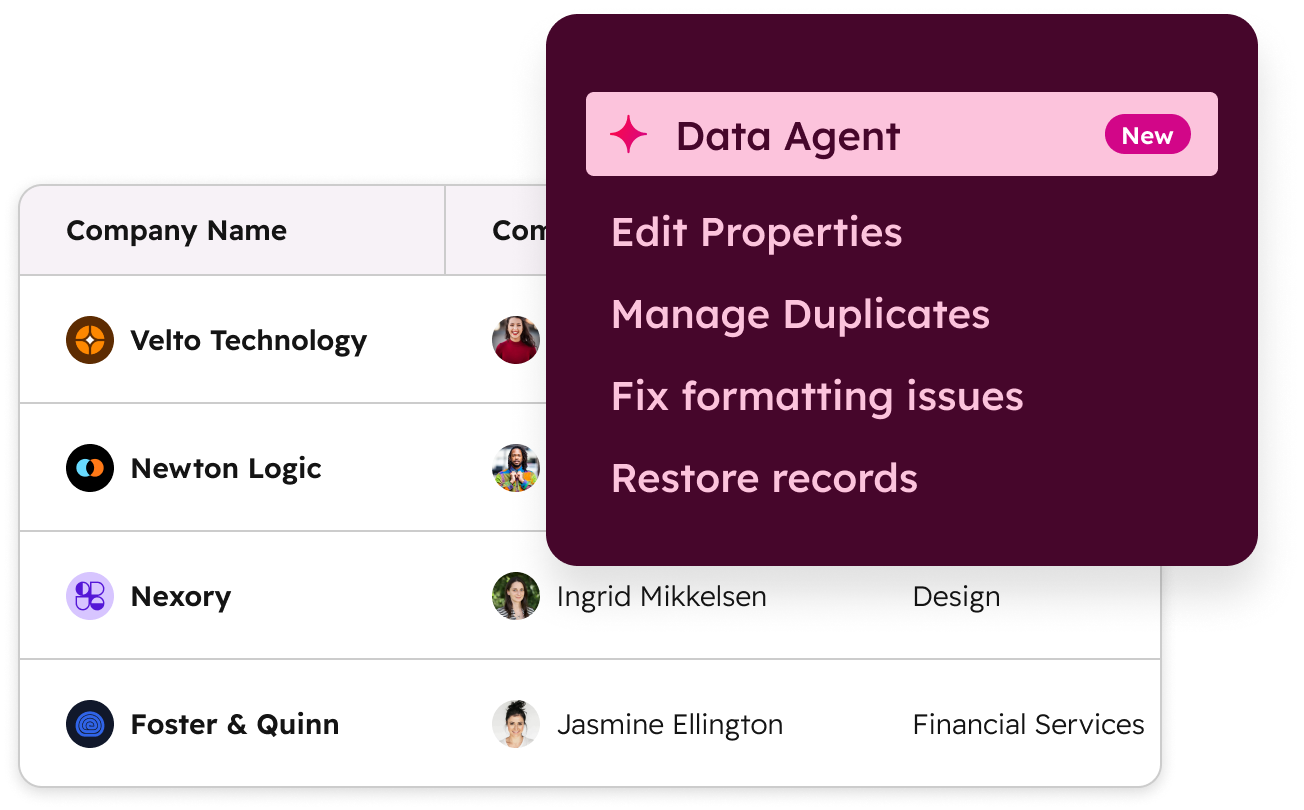
It lives within the Breeze Intelligence tier (more on this in a bit) but operationally it functions like the other agents: configurable, schedulable, and capable of updating CRM records without manual intervention.
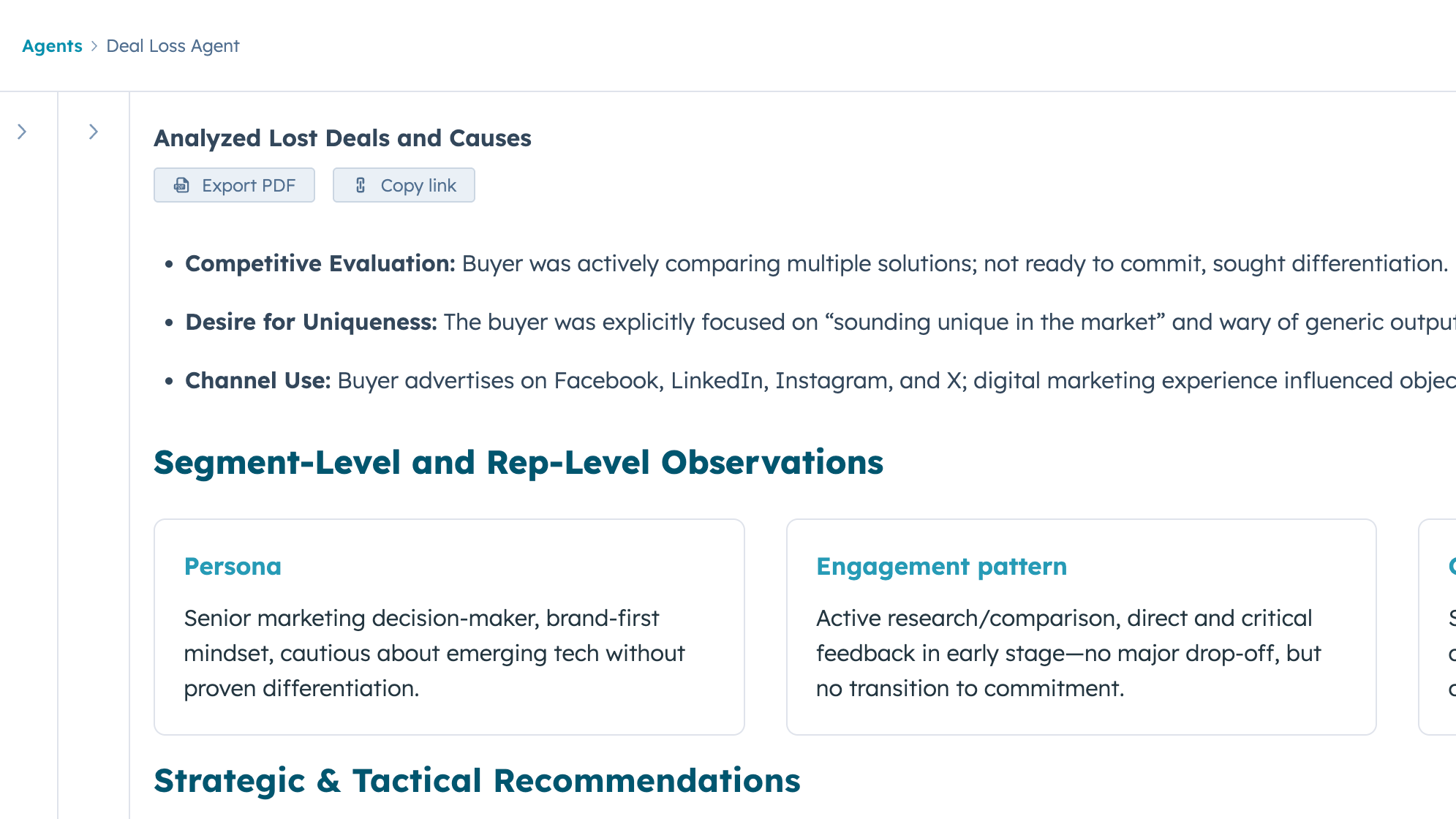
Deal Loss Agent
Closed-lost deals are one of the most underused data assets in any CRM.
 Source: HubSpot App Marketplace
The Deal Loss Agent reviews them systematically — surfacing patterns in why deals were lost and feeding those insights back to sales and marketing.
For RevOps leads trying to close the loop between pipeline performance and GTM strategy, this is one of the higher-signal agents available natively in HubSpot Breeze AI.
RFP Agent
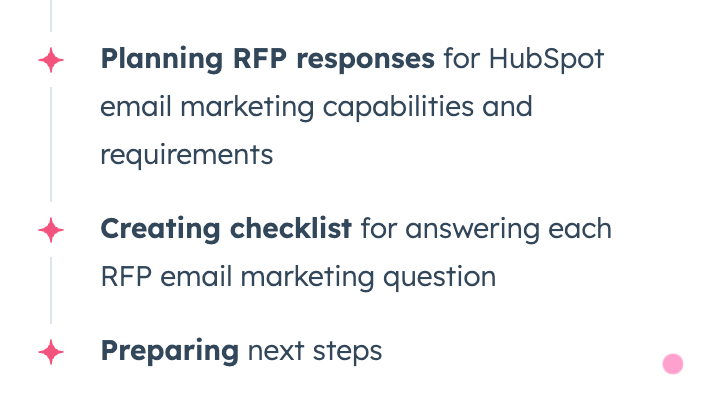
For sales teams in proposal-heavy cycles, the RFP Agent drafts RFP responses by pulling from CRM data and configured knowledge vaults.
 Source: HubSpot App Marketplace
The quality of the output depends heavily on how well those knowledge vaults are stocked — generic knowledge bases produce generic responses.
From what we’ve seen for our clients and experiments we’ve run for ourselves, teams that have invested in structured product and competitive documentation get meaningfully more usable drafts.
Sales-to-Marketing Feedback Agent
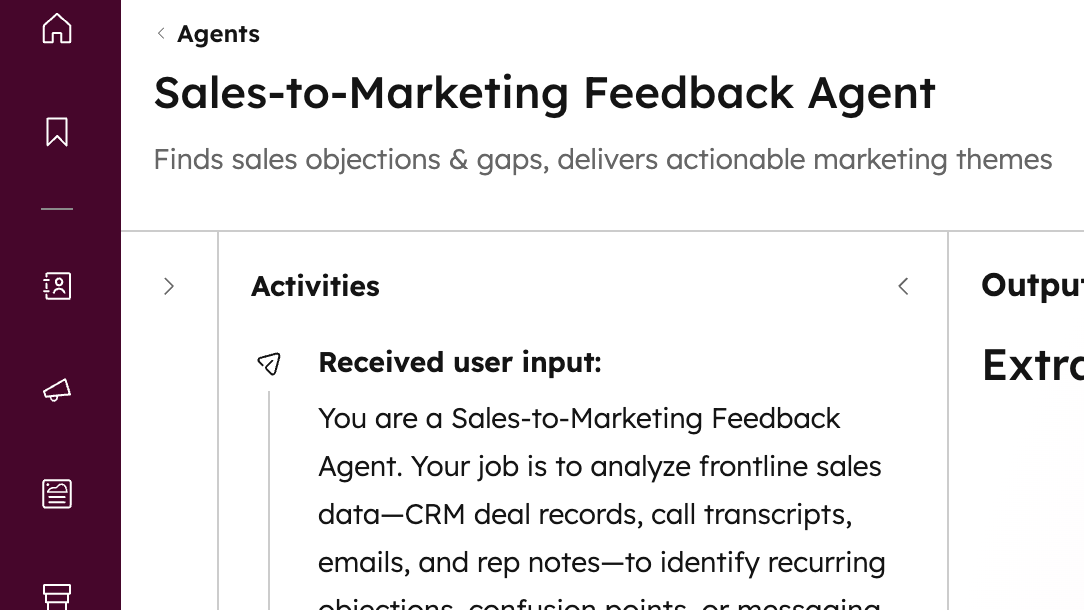
One of the more underrated agents for GTM alignment, the Sales-to-Marketing Feedback Agent analyzes sales interaction data and surfaces themes — objections, questions, patterns — that marketing can act on.
 Source: HubSpot App Marketplace
Essentially, its job is to close the feedback loop between what sales is hearing in the field and what marketing is producing, without requiring anyone to manually compile call notes or run a quarterly review.
Customer Agent
The HubSpot Customer Agent handles support queries autonomously — answering questions, retrieving information, performing supported actions, and escalating to a human agent when it hits something outside its scope.
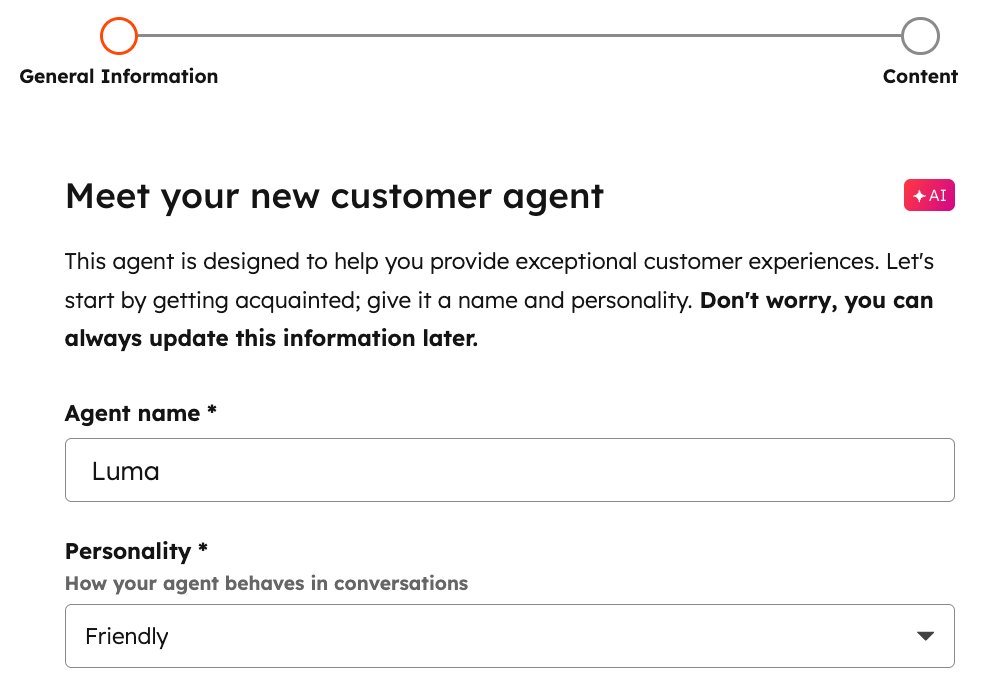
What’s neat is that it works across messaging, email, calling, workflows, and bots, and draws on your knowledge base and approved CRM data to resolve tickets.
For support and service operations teams dealing with high ticket volume, it's the most direct path to deflection without sacrificing resolution quality.
Content Agents
HubSpot Breeze’s Content Agents research and generate blog posts, create landing pages, case studies, and social copy from brand voice input.
Output quality scales with how specifically you've configured your brand voice and the instructions you've given agents.
Ideally, if you treat these as a first-draft engine — with a human editing pass built into the workflow — you can get significantly more than simply expecting a publish-ready copy straight out of an agent.
Social Post Agent
The Social Post Agent generates and schedules social posts based on content themes.
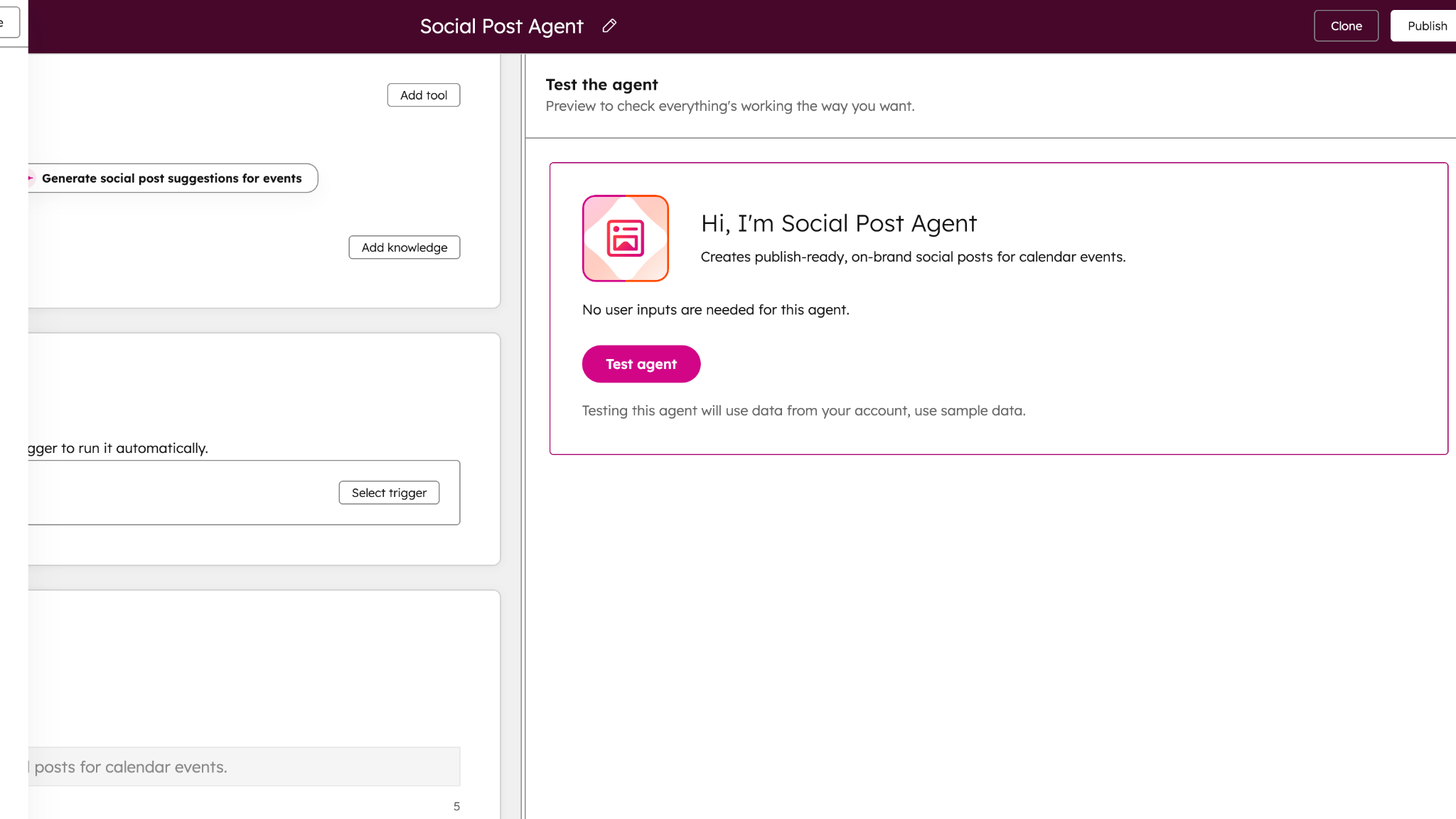 Source: HubSpot App Marketplace
Useful as a distribution layer sitting downstream of the Content Agent — once content is produced, Social Agent handles the formatting and scheduling across channels.
Breeze Studio
Breeze Studio is where the pre-built ends and the custom begins.
Every agent and assistant covered so far comes with default configurations — useful starting points, but built for general patterns. Breeze Studio is the build environment where you take those defaults apart and configure something specific to how your team actually works.
- Create custom agents and assistants from scratch
- Configure behavior through AI instructions — defining expected outputs, business rules, tone, and scope
- Add knowledge vaults containing documents, CRM content, brand voice, and segments so agents have the right business context
- Define tools that let agents retrieve data, generate information, or take actions inside HubSpot
- Test outputs before publishing — preview responses, review reasoning, adjust configuration
- Publish agents and manage access across your team
- Automate agents via scheduling or HubSpot Workflow triggers
- View execution history to monitor what's running and catch anything that needs adjustment
That last point matters more than it sounds.
Execution history gives RevOps leads visibility into what agents are actually doing — not just whether they're running, but what they're outputting and where they're hitting limits. It's the difference between deploying something and managing it.
The reason Breeze Studio is worth understanding early — even if you're not ready to build anything custom yet — is that it changes the ceiling of what HubSpot Breeze AI can do for your team.
Pre-built agents cover common GTM patterns. Most teams have at least one workflow that doesn't fit a common pattern:
- Custom qualification agent built around your specific ICP signals
- Deal review assistant configured to your sales methodology
- Daily sales co-pilot that answers the seven specific questions your reps need answered every morning before their first call
💡 Actual use case: That last example is real. One luxury travel company RevX worked with had rich contact data in HubSpot and reps who were starting every day from scratch — manually triaging who to follow up with, what was said last, which channel to use.
We built them a Breeze Studio assistant structured around seven operational questions their reps needed answered daily. The CRM data was already there. Breeze Studio was the layer that turned it into something a rep could act on in minutes.
The configuration investment is real, for sure. But so is the delta between a default Breeze AI deployment and one that's been built to fit a specific workflow.
Breeze Intelligence
Breeze Intelligence is the data layer underneath everything else.
While Breeze Assistant and Breeze Agents work with the data already in your HubSpot, Breeze Intelligence is what improves that data — enriching records, filling gaps, and surfacing companies that are actively in-market for what you sell.
It does two distinct things: enriching data, and tracking buyer intent.
Enrichment
Breeze Intelligence pulls from HubSpot's commercial dataset to populate contact and company records with job title, company size, industry, tech stack, and buying signals.
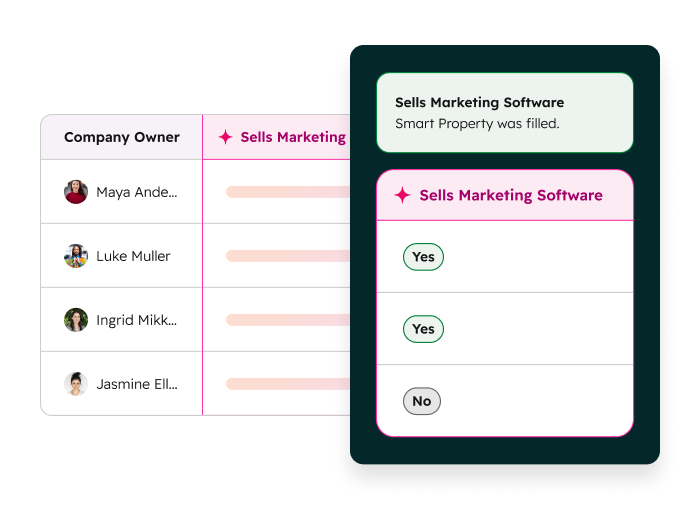
It runs in four modes:
- Automatic enrichment — records are enriched as they enter your CRM
- Manual enrichment — you trigger enrichment on specific records or lists
- Continuous enrichment — records update automatically when the underlying data changes
- Conversational enrichment — you request enrichment through Breeze Assistant directly
Smart properties sit on top of this — AI-populated fields that update dynamically based on enrichment data and existing CRM activity. For RevOps teams managing data hygiene at scale, smart properties reduce the manual work of keeping records accurate as contacts change roles, companies grow, or deals progress.
Buyer intent
This is the part of Breeze Intelligence that's most directly GTM-relevant.
It tracks which companies are actively researching your category — based on content consumption, search behavior, and third-party intent signals — and surfaces them inside HubSpot.
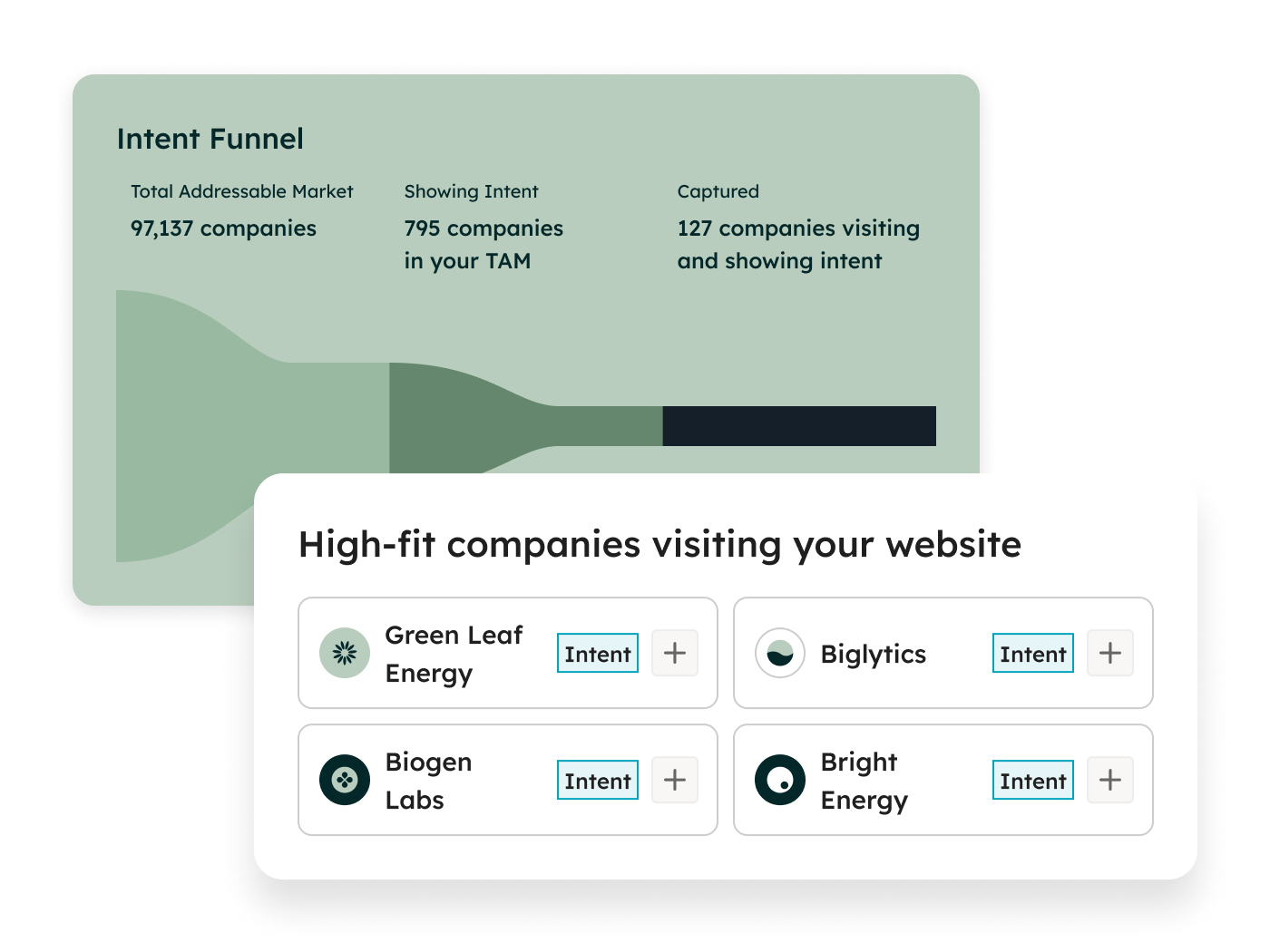
For outbound teams, it turns HubSpot buyer intent data into a prioritization layer: instead of working a static list, reps can focus on accounts showing active in-market behavior right now.
A few things worth knowing before you run at scale:
- Breeze Intelligence runs on HubSpot Credits. Enrichment at scale consumes credits quickly — worth modeling your expected usage before turning on continuous enrichment across your full database
- Breeze Intelligence is a separate paid add-on on many HubSpot plans, not included by default
Where you may feel limited: Enrichment quality scales with the cleanliness of your base data. Enriching a database full of duplicates, stale contacts, and incomplete records doesn't fix those problems — it layers data on top of them. Clean first, enrich second.
For teams with reasonably clean HubSpot data and an outbound motion that depends on accurate contact information and timely intent signals, Breeze Intelligence has a clear ROI case. For teams whose CRM is still a mess, it's the wrong place to start.
Breeze Marketplace and Breeze Dashboard
Two other useful components worth knowing about — especially if you're managing Breeze AI adoption across a team rather than just using it yourself.
Breeze Dashboard
The Breeze Dashboard is a centralized view of how Breeze AI is being used across your organization. It tracks:
- Agent usage — which agents are running and how often
- Assistant usage — how frequently Breeze Assistant is being used across the team
- Feature adoption — which Breeze AI capabilities have been activated
- Time saved — estimated efficiency gains across users
- Adoption trends and retention — how usage is changing over time
- Recommended Breeze AI capabilities — based on what your team is and isn't using yet
For individual contributors, the dashboard is background noise. For RevOps leads managing a HubSpot Breeze AI rollout across sales, marketing, and CS, it's the operational layer that tells you whether activation is actually translating into usage — and where the gaps are.
Breeze Marketplace
The Breeze Marketplace is where you discover and install pre-built agents without building anything from scratch.
Think of it as the starting point before Breeze Studio — browse what's available, install what's relevant, open it for configuration.
For teams that are early in their Breeze AI activation and not yet ready to build custom, the Marketplace is the fastest way to get something running.
Featured agents — HubSpot's recommended pre-builts — are surfaced prominently and can be downloaded, configured, and modified to fit your specific needs.
The practical value: you're not starting from zero. E.g. a pre-built Prospecting Agent or Customer Agent from the Marketplace gives you a working foundation to configure from, rather than a blank canvas in Breeze Studio.
Which Breeze AI tools matter most for GTM and RevOps teams
Not every Breeze AI capability is equally relevant to every team.
E.g. Content Agent and Social Agent are built for marketing. Customer Agent is built for support.
But specifically for GTM and RevOps teams specifically — since you’re managing pipeline, outbound, deal velocity, and revenue operations — the highest-leverage tools are the Prospecting Agent, Deal Loss Analysis Agent, and Sales-to-Marketing Feedback Agent.
SDRs and AEs
- Breeze Assistant for daily record work — call prep, follow-up drafting, deal summaries without leaving the CRM
- HubSpot Prospecting Agent for outbound pipeline — researching target accounts, building contact lists, personalizing outreach at scale
- RFP Generation Agent for proposal-heavy sales cycles — pulling from knowledge vaults to draft responses rather than starting from a blank doc every time
Sales leadership and RevOps
- Deal Loss Analysis Agent for closing the loop on closed-lost — systematic pattern recognition across deals rather than anecdotal post-mortems
- Sales-to-Marketing Feedback Agent for GTM alignment — surfacing what sales is hearing in the field without a manual quarterly review
- Breeze Dashboard for adoption visibility — tracking whether Breeze AI activation is actually translating into usage across the team, and where the gaps are
Marketing
- Content Agents for first-draft generation — blog posts, landing pages, case studies, email copy; most effective when brand voice is configured and a human editing pass is built into the workflow
- Social Agent for content distribution — formatting and scheduling downstream of whatever the Content Agent produces
- Breeze Assistant for campaign copy and ad hoc generation tasks
RevOps
- Breeze Data Agent for enrichment at scale — keeping contact and company records accurate without manual intervention
- HubSpot Breeze Intelligence for pipeline hygiene and intent routing — enriching records and surfacing in-market accounts so outbound efforts hit accounts that are actually researching your category
- Breeze Studio for anything workflow-specific — custom qualification agents, deal review assistants, routing logic that doesn't fit a pre-built pattern
Customer Success and Support
- HubSpot Customer Agent for ticket deflection — resolving tier-one queries autonomously across messaging, email, and chat, escalating to humans when needed
- Breeze Assistant for case summarization — getting a rep up to speed on a customer's full history before a call or response, without manual CRM digging
🧠Pro tip: As HubSpot rolls out more pre-built agents and assistants, it’s helpful to keep an eye out for Breeze Studio tools that’re free, i.e., need no credits. You’ll be surprised at how many powerful agents HubSpot’s literally giving away for free.
What good Breeze AI activation actually looks like
From what we’ve seen so far at RevX, there's a pattern that separates teams getting good value from HubSpot Breeze AI vs. teams that turned it on, got mediocre output, and quietly stopped using it:
It's not about technical sophistication but about sequencing, i.e., doing a few specific things before touching any settings.
1. Map a broken workflow before opening Breeze Studio
The teams that configure well start outside HubSpot.
They pick one workflow that's costing the team measurable time or producing inconsistent output — a daily lead triage process, a closed-lost review that never happens, an outbound research task that takes an SDR two hours a day — and they describe it in plain English first. Who does this? What triggers it? What does good output look like? What should the agent never do?
That plain-English description becomes the foundation for AI instructions in Breeze Studio. Skip this step and go straight to configuration, and you end up writing vague instructions that produce crap.
2. Stocking knowledge vaults before running agents
Breeze Agents are only as good as the context you give them.
E.g. a Prospecting Agent with no knowledge vault runs on public web data and whatever's in your CRM. But a Prospecting Agent with a detailed ICP definition, a product positioning document, and a list of disqualifying signals runs on all of that — and produces meaningfully more targeted output.
3. Clean CRM data before running Breeze
This one is straightforward but consistently skipped.
HubSpot Breeze Intelligence enriches what's already there; it doesn't audit or deduplicate for you.
Before running enrichment at scale, the teams that get clean output from Breeze Intelligence have already dealt with their duplicate contacts, updated their lifecycle stages, and removed or suppressed records that shouldn't be in active segments.
The enrichment then lands on a foundation worth building on.
4. Test before publishing and define what ‘good’ looks like upfront
Every Breeze Agent can be tested before it goes live.
That doesn’t mean just running a test and checking whether the output looks plausible — it means running tests against a benchmark.
You’re looking for answers to questions like, “What would a senior rep or ops lead have produced for this same input manually?” or “Does the agent output match that standard? Where does it fall short and why?” and so on.
That benchmark also becomes the basis for ongoing maintenance.
Agent performance drifts when the underlying data changes, when ICP definitions shift, or when knowledge vaults go stale.
Set a standard upfront and have something to measure against when you run monthly reviews.
Honest verdict on how useful Breeze AI really is for GTM
Full disclosure: we’re HubSpot Gold Tier partners, so HubSpot is our bread and butter.
But from months of experimentation and real-world deployments for companies across industries, here’s our honest take:
HubSpot Breeze AI is genuinely useful. It's also genuinely easy to underuse — or to activate in ways that produce underwhelming results and lead teams to conclude it isn't worth the effort.
Breeze Assistant: turn it on, use it daily, don't expect it to change your pipeline
Breeze Assistant is the lowest-friction entry point into HubSpot Breeze AI and worth using from day one.
For reps doing high-volume daily work — call prep, follow-up drafting, record summarization — it saves real time. The ceiling is clear though: it's a productivity tool. It makes individual tasks faster. It doesn't reinvent workflows, doesn't surface patterns across your CRM, and doesn't act without being asked.
The value it delivers compounds when it's working alongside configured agents — on its own, it's a faster way to do things you were already doing.
Breeze Agents: highest ROI potential, highest setup dependency
This is where the real workflow leverage lives — and where a lot of GTM teams get tripped up.
Pre-built agents cover a lot of ground
HubSpot Breeze’s Prospecting Agent can meaningfully change how an outbound team builds pipeline. Deal Loss Analysis Agent can surface patterns that a quarterly sales review never would. Sales-to-Marketing Feedback Agent can close a GTM alignment gap that usually requires a dedicated ops resource to manage manually.
But agents surface your process gaps fast
If you can't describe the workflow you want to automate in plain English before you open Breeze Studio, the agent output will show it.
What we’ve noticed is that GTM folks that get ROI from agents almost always do one thing first: they define what good output looks like before they configure anything.
Skip this and you end up with agents running on vague instructions and producing output nobody trusts. In other words: clarity ensures that AI (in any shape or form, really) doesn’t take you in the wrong direction, fast.
Data is a critical variable
Agents work on what's in your CRM. A Prospecting Agent built on a poorly defined ICP and a contact database full of bad data will research and personalize outreach to the wrong people, efficiently.
🦊Pro tip: Need to exactly how broken your HubSpot data is? Run a 20-minute audit on Audit Fox (we built this!) and get an incredibly detailed report.
Breeze Intelligence: worth it, with one condition
HubSpot Breeze Intelligence has a clear ROI case for outbound-heavy teams — accurate contact data, tech stack signals, and HubSpot buyer intent data surfacing in-market accounts directly in your CRM is genuinely useful.
The condition: your base data needs to be reasonably clean first. Enriching a database full of duplicates, stale contacts, and incomplete records doesn't fix those problems. It adds accurate job titles to contacts your team hasn't touched in three years. Clean first, enrich second.
The credit system also warrants attention before running at scale.
Breeze Intelligence and agents draw from the same HubSpot Credits pool. A heavy enrichment run can quietly consume credits budgeted for the Customer Agent or Prospecting Agent. Model your expected usage before turning on continuous enrichment across your full database.
Before you go: don't activate everything at once
That's not how teams get ROI from Breeze AI.
Pick the layer that maps to your sharpest operational bottleneck — the workflow that's costing your team the most time, producing the most inconsistency, or creating the most downstream noise — and go deep there first.
One well-configured agent running on clean data and clear instructions will deliver more than five half-configured ones running in parallel.